
Are you a supplier, service provider, or contractor looking to showcase your business in Rwanda’s construction industry? Creating a profile and listing your products or services on ConstructionHub.rw is quick and easy. Follow this step-by-step guide to get started.
🔍 Step 1: Visit Our Website
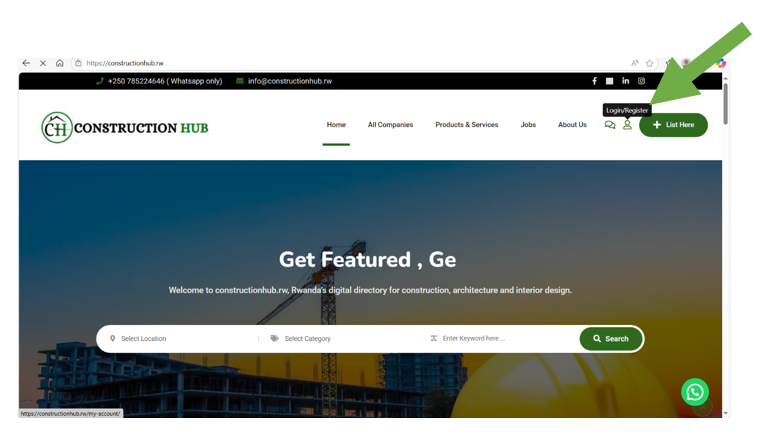
Start by opening your browser and typing www.constructionhub.rw into the search bar. You’ll be directed to our homepage.
🔐 Step 2: Login or Register
On the top right corner of the homepage, click Login/Register.
- If you already have an account, sign in using your credentials.
- If you’re new, click on Register to create an account.
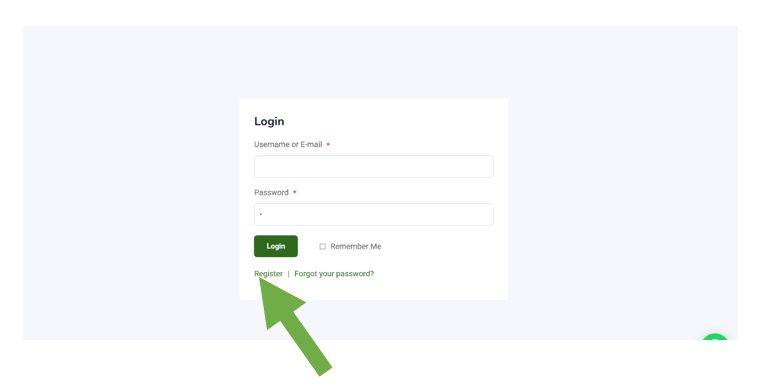
📝 Step 3: Fill In Your Details
Enter your personal information including your name, email address, and password. Once completed, click Register to finish creating your account.
✅ Step 4: Access Your Account
After registering, go to My Account to log in using your username and password.
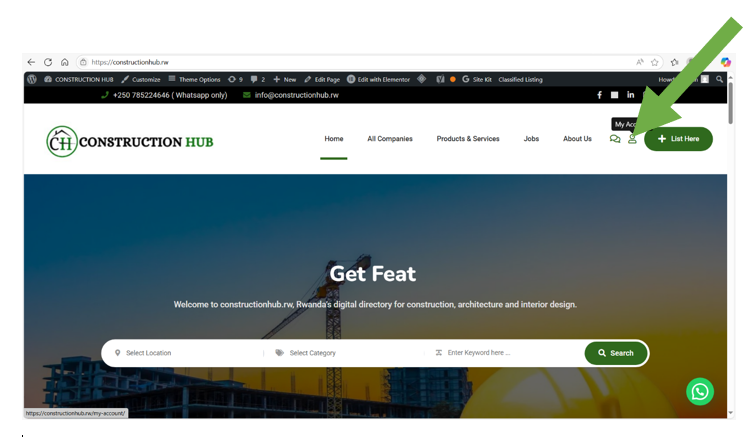
🏪 Create Your Online Store
Once you’re logged in, it’s time to set up your business profile.
🏢 Step 5: Set Up Your Store
Click on the Store tab in your dashboard. Enter your company details such as:
- Company name
- Logo
- Address
- Contact information
Then, click Save to publish your store profile.
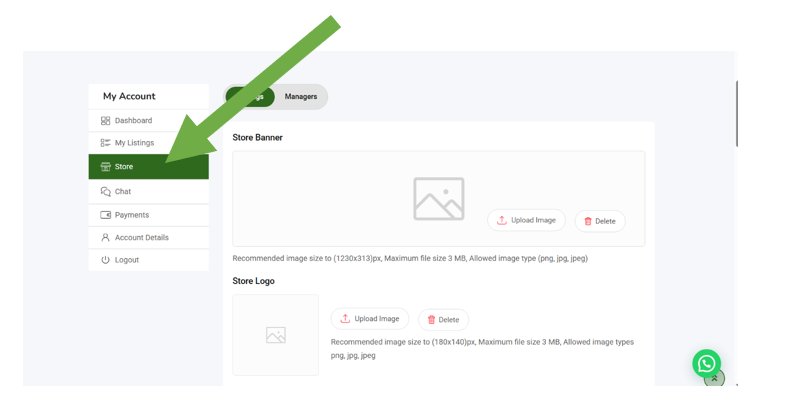
📦 Add Your Products or Services
➕ Step 6: Add a Listing
To list your products or services:
- Go to My Listings
- Click Add Listing
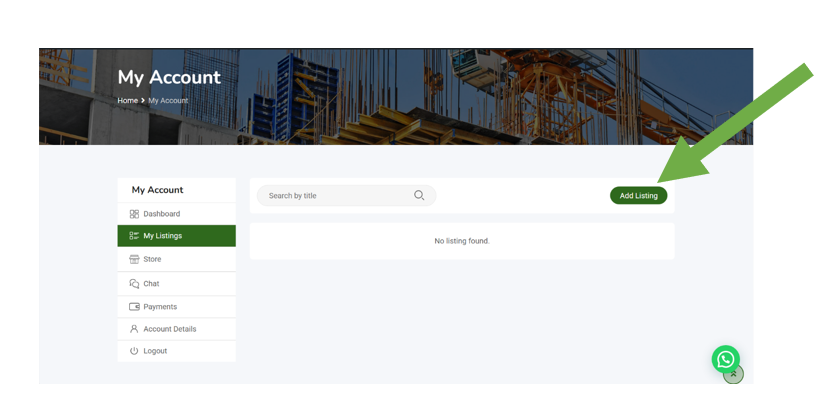
🛠️ Step 7: Provide Product/Service Details
Fill in all the necessary information like:
- Product or service name
- Description
- Images
- Price (if applicable)
Then click Save to publish. Repeat the process to add more listings.
💡 Pro Tip:
Make sure your product photos are clear and your descriptions are accurate. The more informative your listings, the better your visibility and engagement!
📣 Get Started Today!
Don’t miss out on opportunities to grow your business in Rwanda’s construction sector. Create your account now and start connecting with new clients today.
Need help? Contact us at constructionhubrw@gmail.com or call +250 785 224 646.